
Reviewed · HONG KONG TOURS
Hong Kong: 4G Pocket Unlimited WiFi
Hong Kong’s compact 4G pocket WiFi turns your arrival at the airport into a simple handoff: collect the router, connect your phone, and keep using maps, WhatsApp, email, and social media without paying roaming rates. It supports up to five devices, so one rental can cover a small group.
I like the unlimited data with no speed reduction, especially for map use and regular communication. I also like the airport pickup and return, since you do not need to find a separate shop in the city. The main consideration is the HKD 500 deposit, which is not included in the $15 price.
Key points at a glance
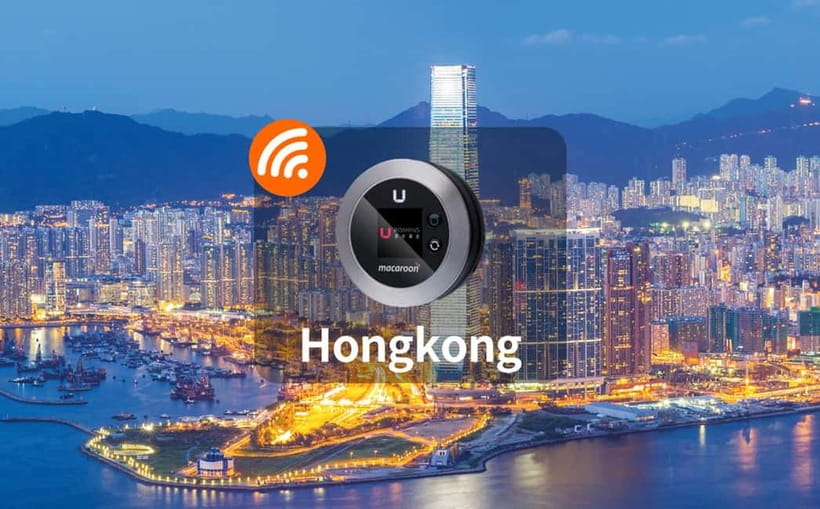
- Airport pickup and return: Collect and hand back the device at Hong Kong International Airport.
- Up to five devices: Share the connection with phones, tablets, and computers.
- Unlimited 4G data: Use email, WhatsApp, Facebook, Instagram, Google Maps, and Netflix without a stated speed cut.
- Flexible rental length: Choose a period from 2 to 7 days.
- Useful battery performance: The device has been reported to run for a full day without charging.
- Strong reported reception: A practical test found reliable service, including on the MTR.
A small router that handles the big travel jobs
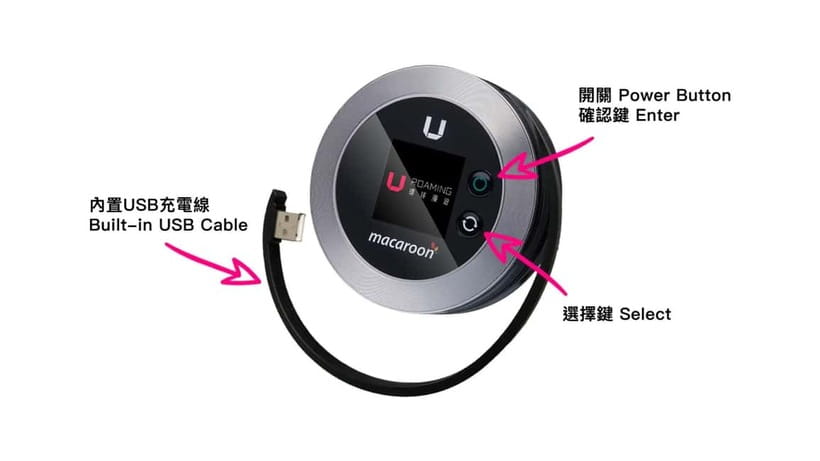
I see this rental as a practical tool rather than a sightseeing activity. There is no guide, scheduled route, or tour group. You pick up a small router, connect your devices, and carry it with you as you move around Hong Kong.
That distinction matters. You are paying for dependable mobile internet, not for an organized experience. If your phone already has affordable international data, this may be unnecessary. If roaming charges are high, or if you are traveling with several people, the value becomes much clearer.
The package includes the pocket WiFi device, a USB cable, and an adapter. Those are the basic pieces you need to keep the router running and charge it during your stay. The supplied information does not specify the adapter type or charging arrangements beyond its inclusion, so I would still check your own devices before departure.
A few more Hong Kong days to line up
- Hong Kong: Victoria Harbor Symphony Unlimited Drink Cruise
★ 4.3 · 1,873 reviews - Lantau Island Day Trip – Big Buddha & Tai O
★ 4.5 · 1,328 reviews - Hong Kong: Victoria Harbour Evening Cruise with Drinks
★ 4.6 · 1,260 reviews
Airport collection keeps the first hour simple
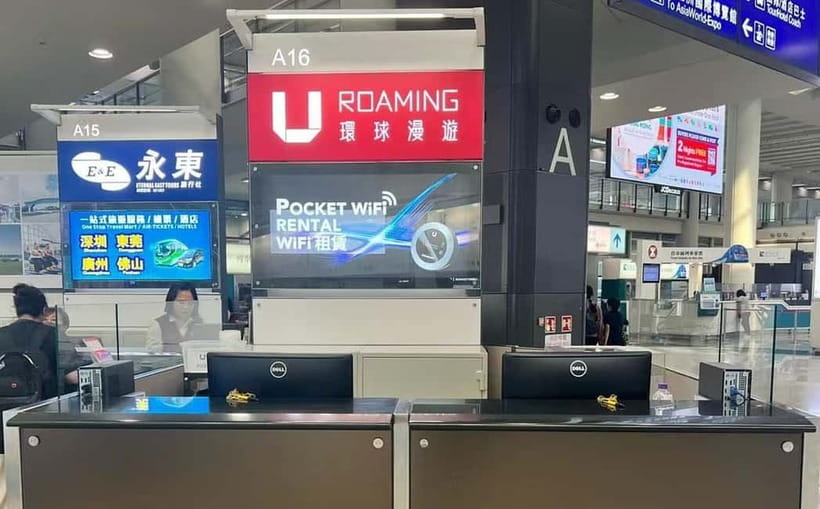
The handoff point is Hong Kong International Airport, although the exact meeting location can vary according to the option you book. You should check your confirmation carefully so you know where to go after landing.
This is one of the strongest practical features. Airport collection means you can get connected before heading into the city, rather than spending your first afternoon searching for a mobile shop or trying to understand a local phone plan. Once the router is working, you can use Google Maps, check messages, and contact anyone meeting you.
The return works the same way. You hand the device back at Hong Kong International Airport, making it convenient for a departure day connection. Do not leave the return until the last possible minute. The exact return point and timing matter, particularly if you have an early flight.
Your booking confirmation may arrive within 48 hours of purchase. I would book ahead rather than leaving this until the day before departure, especially if you need the device for a fixed arrival date.
Two to seven days of unlimited 4G
The rental period runs from 2 to 7 days. That range suits a short Hong Kong stop, a long weekend, or a weeklong visit. The $15 price is listed per person, but the router can connect up to five devices, so the real value depends on how you use it.
For one person, the cost is easy to compare with your existing roaming plan. If your phone company charges a daily roaming fee, a fixed-price rental may be easier to budget. For two or more people, the math can become more attractive because one router can serve the group.
The word unlimited is useful here. You can use the connection for maps, messaging, email, social media, and Netflix without a stated reduction in speed. That does not mean every activity will feel identical in every part of Hong Kong. Signal strength can vary with location, buildings, and network conditions. Still, unlimited data removes the worry of watching your usage meter.
I would be more careful about the price if you only need internet for a single day. The minimum rental period is 2 days, and the listed price may be presented per person rather than per device. Check the exact option before paying so you know the total cost for your group.
Sharing one connection with five devices
The router can connect up to five devices, including phones, computers, and tablets. This is handy if you are traveling with a partner and both want to use your own phones. It also helps if you carry a tablet or laptop and do not want to buy a separate data plan for each device.
You will need to keep the router with you, of course. A phone connected to it is only as useful as the distance between the phone and the router. If your group separates, the person carrying the router takes the connection with them.
There is also a small management task. More connected devices usually mean faster battery use, especially if someone is streaming video. The available information says the router ran for a full day without charging in one reported test, which is encouraging, but I would still carry the USB cable and charge it whenever you have the chance.
The included adapter adds another bit of convenience. You are not expected to bring a separate charging accessory for the router, though you should make sure your own phones and tablets have the cables they need.
A very different day in Hong Kong:
- Hong Kong: City Highlights Guided Tour w/Entry Fees & Lunch
★ 4.4 · 1,178 reviews - Hong Kong: Dukling, Antique Boat Tour in Victoria Harbour
★ 4.5 · 1,084 reviews - Big Bus Hong Kong Open Top Hop-On Hop-Off Sightseeing Tour
★ 4.0 · 1,077 reviews - Hong Kong: Big Bus Hop-On Hop-Off Tour & Optional Peak Tram
★ 4.4 · 982 reviews
Reliable service for maps and messages
For most visitors, the most important use is not Netflix. It is finding a station, checking a reservation, translating a message, or sending a quick note when plans change.
Hong Kong is easy to navigate in many areas, but public transport, street entrances, and large buildings can still make map use valuable. A live connection lets you check directions as you go rather than relying only on downloaded information. WhatsApp, email, Facebook, and Instagram are also listed uses, so the service covers both practical communication and everyday online access.
A reported test found strong reception even in the subway. That is a useful detail because the MTR is likely to be part of your time in Hong Kong. Still, you should treat that as a helpful indication, not a guarantee that every underground section or station will have identical service.
Netflix is supported as a use case, but streaming can consume a lot of battery and make the router work harder. I would use it when needed, not assume that the device replaces a home broadband connection.
The deposit is the detail to plan for
The $15 rental price does not include a HKD 500 deposit. This is the main financial detail to keep in mind before booking.
A deposit can affect your available spending money during the trip, even if it is later returned according to the provider’s terms. The supplied information does not explain the payment method, refund timing, or exact conditions for getting it back, so you should confirm those points before pickup.
Treat the router and its accessories as one set. Keep the device, USB cable, and adapter together in your day bag, and avoid packing the router in checked luggage when you are heading home. Since you must return it at the airport, you want everything easy to find before departure.
Who will get the best value
I would consider this rental a good fit for:
- Couples or small groups sharing data across several devices
- Visitors facing expensive mobile roaming charges
- People who rely heavily on Google Maps and messaging
- Short-stay visitors who want a fixed rental period
- Anyone who wants internet access before leaving the airport
It is less compelling for someone with a generous international phone plan already included. It may also be excessive if you plan to stay offline most of the time and only need occasional map access.
The strongest case is a group of two to five people. One router can support several devices, and the unlimited allowance means you are not forced to ration ordinary online use.
Booking, cancellation, and timing
You can cancel up to 24 hours before the activity for a full refund. That gives you some room if your plans change, but I would still check the booking terms and the selected option before purchase.
The service is valid for 2 to 7 days, and starting times depend on availability. Since the meeting point may vary, read the confirmation once it arrives. The provider is Hong Kong ULink Service Company Limited, and confirmation is expected within 48 hours after purchase.
There is no guide to meet and no fixed sightseeing schedule. Your important timing points are the airport pickup after arrival and the airport return before departure.
Should you book this Hong Kong WiFi rental?
Book it if you want simple, shared internet for a short Hong Kong visit and your phone company’s roaming prices are high. The combination of unlimited 4G, five-device sharing, airport collection, and reported full-day battery life gives it a strong practical case.
Think twice if you already have cheap international data or if you dislike carrying and charging an extra device. Also plan for the HKD 500 deposit and confirm the exact airport meeting point before you fly.
For a couple, family, or small group that depends on maps and messages, this is an efficient way to stay connected. For a solo visitor with a good phone plan, compare the total cost first.
FAQ
How long can I rent the pocket WiFi device?
You can rent it for 2 to 7 days. Check availability for the starting time and selected rental option.
Where do I pick up the device?
Pickup is at Hong Kong International Airport. The exact meeting point may vary depending on the option booked.
Where do I return the device?
You return the pocket WiFi device at Hong Kong International Airport.
How many devices can connect at once?
The router can connect up to five devices, including phones, computers, and tablets.
What kind of data is included?
The rental includes unlimited 4G network data with no stated reduction in speed.
Can I use the router for maps and messaging?
Yes. The listed uses include email, WhatsApp, Facebook, Instagram, and Google Maps.
Is Netflix supported?
Yes. Netflix is listed as one of the services you can access through the pocket WiFi connection.
What is included with the rental?
You receive the pocket WiFi device, a USB cable, and an adapter.
Is there a deposit?
Yes. A HKD 500 deposit is required and is not included in the $15 price. The supplied information does not specify the payment or refund details.
Can I cancel the booking?
Yes. You can cancel up to 24 hours in advance for a full refund.
Recently listed in Hong Kong
- Small-Group Gong Relaxation Experience in Hong Kong★ 5.0 · 5 reviews
- Family-Friendly Tolo Harbour Cycling Adventure★ 4.0 · 5 reviews
- Different Tastes of Hong Kong★ 4.5 · 5 reviews
- Hong Kong Private Departure Transfer: Hotel to Airport★ 4.5 · 5 reviews
- Hong Kong Layover City Tour with 2-way Airport Express Transfer★ 3.0 · 5 reviews
- Ma On Shan Climbing Adventure★ 5.0 · 5 reviews
- Small-Group Tour: Hong Kong Local Markets Hopper [PROMOTION]★ 4.0 · 5 reviews
- Hong Kong Night Tour with a Local: Private & 100% Personalized★ 5.0 · 5 reviews
Hong Kong Tours, compared.

Victoria Harbor Symphony Unlimited Drink Cruise
Read our review →


City Highlights Guided Tour w/Entry Fees & Lunch
Read our review →
Dukling, Antique Boat Tour in Victoria Harbour
Read our review →
Big Bus Hong Kong Open Top Hop-On Hop-Off Sightseeing Tour
Read our review →
Big Bus Hop-On Hop-Off Tour & Optional Peak Tram
Read our review →
Hong Kong Day Tour: City Landmarks & Highlights
Read our review →Browse the lists this tour appears in