
Reviewed · HONG KONG TOURS
Hong Kong and Macau Pocket Wi-Fi with Unlimited Data
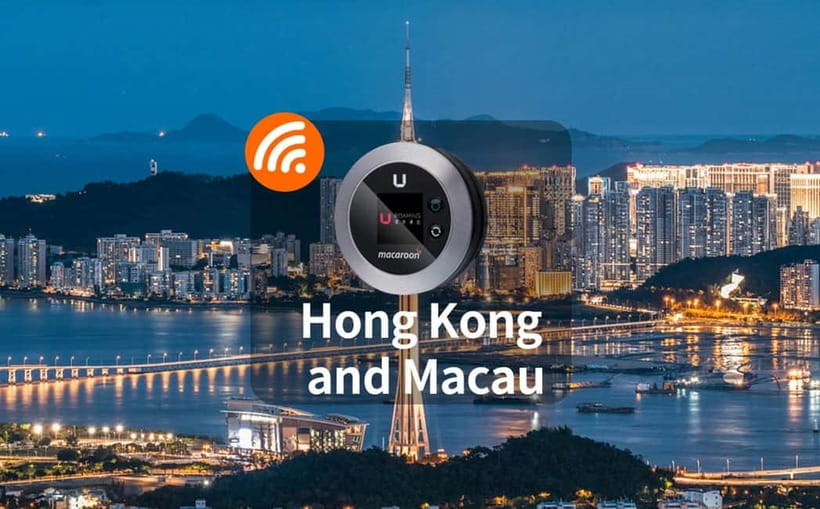
Hong Kong and Macau Pocket Wi-Fi is a simple airport pickup service with one useful promise: unlimited 4G data for your trip, without paying roaming charges. You collect the small device at Hong Kong International Airport, connect up to five phones or tablets, and use online maps, searches, and social media in both Hong Kong and Macau.
I like two things here. First, one device can serve five people, which makes the $23 price more attractive for a group. Second, pickup and return take place at the airport, so you can get connected soon after landing and hand the device back before leaving. The catch is important: you must plan the return carefully, especially if you leave Hong Kong by ferry rather than through the airport.
Key points to know
- Unlimited 4G data: Use maps, searches, social media, and other online services without a stated data cap.
- Five-device sharing: Connect phones, tablets, or computers to one pocket Wi-Fi unit.
- Hong Kong and Macau coverage: The service is designed for use in both destinations.
- Airport pickup and return: Collect and return the device at Hong Kong International Airport.
- 500 HKD deposit: Pay by cash or card, then expect the refund within 14 working days after return.
- Late-night drop box: If you return after 11:00 PM, use the airport return box between 11:00 PM and 6:00 AM.
What You Actually Receive at the Airport
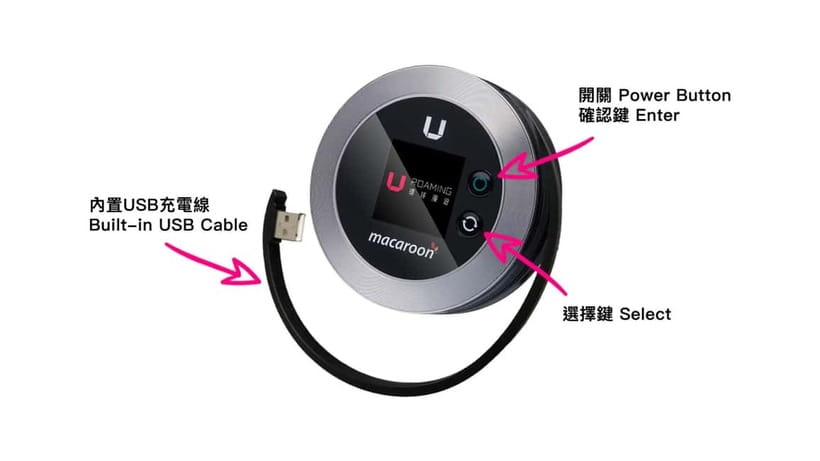
Your package includes the pocket Wi-Fi device, a USB cable, and an adapter. That is the complete kit, so pack your own phone charging cable if your devices use a connector that does not match the supplied cable.
The process begins with an advance reservation for a period of three to ten days. After you land, you pick up the unit at Hong Kong International Airport. The exact counter or meeting point depends on the option you choose, so check your booking details before your flight rather than wandering around the terminal looking for a generic Wi-Fi desk.
This kind of service is most useful during the first hour of a trip. You can check directions, search for your hotel, message your group, and look up transport information without finding a shop or connecting to public Wi-Fi. If you arrive late, the airport pickup arrangement is especially handy, provided the pickup desk is available for your selected option.
The device itself is separate from your phone. You switch it on, find its network name, enter the password, and then connect your other devices. The supplied adapter helps with charging, but you should still keep the unit powered during long days out. Unlimited data does not help if the battery runs flat.
A few more Hong Kong days to line up
- Hong Kong: Victoria Harbor Symphony Unlimited Drink Cruise
★ 4.3 · 1,873 reviews - Lantau Island Day Trip – Big Buddha & Tai O
★ 4.5 · 1,328 reviews - Hong Kong: Victoria Harbour Evening Cruise with Drinks
★ 4.6 · 1,260 reviews
One Connection for Five Devices
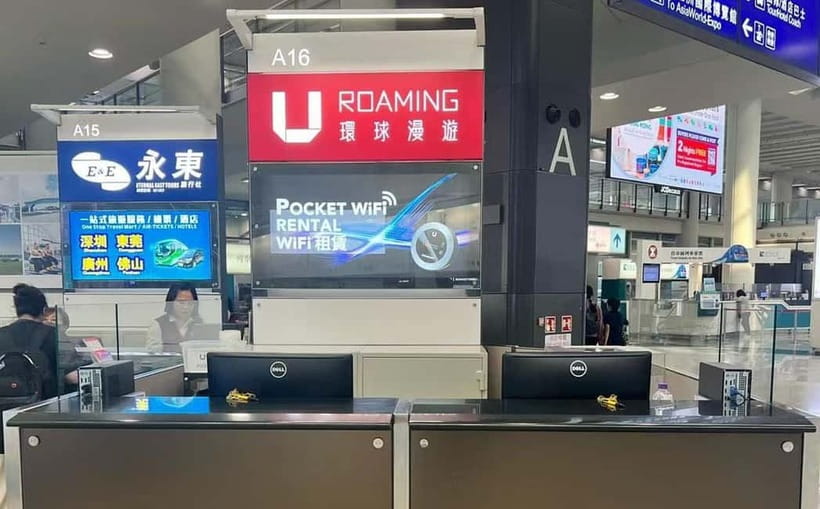
The strongest practical feature is the ability to connect up to five devices at once. That could mean five phones, or a mix of phones, tablets, and computers. You can share the network with family or friends instead of buying separate SIM cards or paying roaming fees for every phone.
For a couple, the cost can work out well because one device covers both people. A family or small group gets even better value if all five connection slots are used. You pay for the number of pocket Wi-Fi units needed, not simply the number of people in your party.
The booking instruction matters here. If you need two devices for three days, you select two participants in the three-day option. That wording can cause confusion, since the unit count is what matters. One group with six or more connected devices would need more than one unit, based on the five-device limit.
Sharing also means keeping the unit near the group. If one person takes it back to the hotel while the others head across town, the remaining users lose their connection. This is less of an issue for a family moving together, but it matters for friends who split up during the day.
Using the Service Across Hong Kong and Macau
The package is intended to provide 4G connection in both Hong Kong and Macau. That makes it useful for a trip that includes both places, since you do not need to arrange a second data solution for the Macau portion.
Your main uses will likely be online maps, address searches, messages, and social media. Constant access is valuable in a city where you may be moving between neighborhoods, ferry terminals, hotels, restaurants, and sightseeing stops. I like having a live map available instead of saving every direction before leaving the hotel.
The service description promises no reduction in internet speed. Still, your actual connection can depend on local signal conditions, the device, and how many people are using it at once. The available customer feedback includes several strong reports of good performance and reception in different places, but the overall score is 3.3 out of 5 from 20 ratings. That tells me the service can work very well, but I would not treat it as risk-free in every situation.
Five connected devices can also use data quickly. A group watching video or downloading large files could put more strain on the unit than a group using maps and messaging. The unlimited plan removes the worry about a stated data allowance, but it does not change the need to charge the hardware or keep it within range.
Is $23 Good Value for Three to Ten Days?
At $23 per person, the value depends on how you use the unit and how many people share it. For one person, a local SIM card may cost less, as one customer specifically pointed out. That person also felt the pocket Wi-Fi was not worth the price compared with buying a SIM card.
For two to five people sharing one unit, the calculation looks better. You avoid setting up several SIM cards, and you can keep your existing phone numbers and usual device settings. That convenience has real value if you do not want to deal with a phone that uses a different SIM or a roaming plan that may charge by the day.
I would compare the total price with your mobile provider’s roaming rate before booking. If your carrier offers a cheap Hong Kong and Macau package, this service may not be the best buy. If your roaming fees are high, or if you want one connection for a group, the $23 charge becomes easier to justify.
The 500 HKD deposit must also be part of your cash-flow calculation. It is not listed as part of the $23 cost, and you arrange it at pickup. You can pay the deposit by cash or credit card. After you return the device, the deposit should be credited back to your account within 14 working days.
That refund period is not immediate. I would keep your receipt or pickup record until the money appears. You should also make sure the device, cable, and adapter go back together, since the deposit is connected with returning the equipment.
A very different day in Hong Kong:
- Hong Kong: City Highlights Guided Tour w/Entry Fees & Lunch
★ 4.4 · 1,178 reviews - Hong Kong: Dukling, Antique Boat Tour in Victoria Harbour
★ 4.5 · 1,084 reviews - Big Bus Hong Kong Open Top Hop-On Hop-Off Sightseeing Tour
★ 4.0 · 1,077 reviews - Hong Kong: Big Bus Hop-On Hop-Off Tour & Optional Peak Tram
★ 4.4 · 982 reviews
The Airport Return Is the Main Trap
Picking up the device at the airport is straightforward in principle. Returning it requires more thought because the return point is also at Hong Kong International Airport.
This creates a real problem if you finish your trip in Macau or travel directly to Hong Kong by ferry and cannot reach the correct airport terminal. One customer arrived by ferry and could not access the terminal where the return desk was located. The company offered no useful solution beyond mailing the device from home or waiting until a future visit to Hong Kong to receive the deposit.
That is a serious weakness for anyone whose final departure does not pass through the airport in the expected way. You should not assume that every airport area is freely accessible from every ferry or transit route. Before booking, confirm that your final route takes you to the return location.
The safest plan is to return the device at Hong Kong International Airport before your departure. If you reach the return desk after 11:00 PM, a drop box is available for returns between 11:00 PM and 6:00 AM. This helps with late flights, but you still need to find the correct return area and place the device in the box as instructed.
If you leave by another route, contact the provider before your trip and ask for a written return plan. The supplied information does not promise a mainland Hong Kong return point, a Macau return point, postal return, or hotel collection. Do not assume any of those options exist.
How the Three-Day to Ten-Day Period Works
You choose a rental period from three to ten days. The activity information says to check availability for starting times, so your selected dates and pickup arrangements matter.
A three-day rental fits a short city break. It also limits the amount of time you carry the device and reduces the chance of forgetting the return. A longer period makes sense if you are combining Hong Kong and Macau or staying for a full holiday.
The device is picked up when you arrive and returned when you depart. I would count the travel days carefully. If you land late at night but still need data immediately, that arrival day may be important. If you fly home early, confirm that the late-night drop box covers your return time.
The service is not a guided tour, so there is no sightseeing route or guide. Its itinerary is simply pickup, use, and return. That is good news if you want independence, but it means the value comes from reliable access and easy handling rather than from personal assistance or local interpretation.
Who Will Get the Most From This Service?
I would consider this service for a group that wants to share data and keep several phones connected. It suits families, couples, and friends who plan to stay together most of the day and want maps or messages available without buying multiple SIM cards.
It also suits visitors who prefer not to change phone settings. You keep your own SIM card in place and connect to the pocket Wi-Fi instead. That can be less confusing than swapping SIMs, especially if you rely on your normal number for calls or account verification.
The service is less appealing for a solo visitor who already has a low-cost roaming option. A SIM card may also be cheaper, particularly if you are comfortable buying and activating one. The pocket Wi-Fi adds another item to carry, charge, and remember to return.
I would also hesitate if your trip ends outside Hong Kong International Airport. The return restriction is not a minor detail. Losing access to a 500 HKD deposit, or having to mail equipment internationally, can wipe out any savings.
Small Details That Make the Difference
Before leaving the pickup counter, test the device. Connect at least one phone, confirm that the network works, and check that you have the password. This takes only a minute and gives you a chance to report a problem while you are still at the airport.
Keep the unit and adapter in the same pouch or part of your luggage. The cable is easy to lose during a full day out, and the deposit refund depends on returning the equipment.
You should also agree on who carries the device. In a group, one person can keep it in a day bag while everyone stays within range. If the group separates, the people without the unit will no longer have access.
For late departures, identify the return desk and drop box when you collect the device. Do not leave this until the last few minutes before boarding. The drop box is available after 11:00 PM, but the practical details of finding it still matter.
The available feedback gives this service a mixed but useful picture. Several bookings received five out of five ratings, including comments that it was easy, practical, and worked very well with strong reception. One customer had a major problem with the return process, and the overall score of 3.3 shows why you should pay attention to the airport condition before choosing it.
Booking Flexibility and Cancellation
You can cancel up to 24 hours in advance for a full refund. The reserve-now, pay-later option lets you hold the booking without paying at once, which is useful if your Hong Kong dates are not fully settled.
The activity is offered for three to ten days, with starting times shown according to availability. Since the meeting point can vary by option, read the exact pickup instructions attached to your chosen reservation.
These policies make the booking fairly flexible, but they do not remove the need to plan the return. Cancellation flexibility helps before the rental begins. It does not solve a return problem after you have collected the device.
Should You Book the Hong Kong and Macau Pocket Wi-Fi?
Book it if you are traveling with up to five people, want unlimited data, and will definitely return the unit at Hong Kong International Airport. The strongest parts are easy airport access, shared 4G service, and coverage intended for both Hong Kong and Macau.
Think twice if you are alone, already have inexpensive roaming, or will finish your trip by ferry without visiting the airport. In that case, a SIM card could cost less and may be simpler. The 500 HKD deposit and 14-working-day refund also deserve attention.
My practical rule is simple: the more people sharing one device, the better the value. Confirm the return route before paying, test the unit at pickup, and keep the device with your group. Follow those steps and this can be a useful tool for staying connected without a stack of separate data plans.
FAQ
How long can I rent the pocket Wi-Fi?
The available rental periods range from three to ten days. Check availability for the dates and starting time you need.
Where do I pick up the device?
You pick up the pocket Wi-Fi at Hong Kong International Airport. The exact meeting point may vary according to the option you book.
Where do I return the device?
You return it at Hong Kong International Airport, at the designated return location for your booking.
Can I return the device late at night?
Yes. If you arrive at the airport return desk after 11:00 PM, a drop box service is available. The stated return window is from 11:00 PM to 6:00 AM.
How many devices can connect at once?
Up to five devices can connect to one pocket Wi-Fi unit. Compatible devices include phones, computers, and tablets.
Does the service work in both Hong Kong and Macau?
Yes. The service is intended to provide 4G connection while you are in Hong Kong and Macau.
Is a deposit required?
Yes. A 500 HKD deposit is arranged at pickup. You can pay it with cash or a credit or debit card.
When will I get the deposit back?
The deposit is returned to your account within 14 working days after you return the device.
What is included with the rental?
The package includes the pocket Wi-Fi device, a USB cable, and an adapter.
Recently listed in Hong Kong
- Hong Kong Photography Masterclass – Private Photography Lesson★ 5.0 · 5 reviews
- Small-Group Gong Relaxation Experience in Hong Kong★ 5.0 · 5 reviews
- Family-Friendly Tolo Harbour Cycling Adventure★ 4.0 · 5 reviews
- Different Tastes of Hong Kong★ 4.5 · 5 reviews
- Hong Kong Layover City Tour with 2-way Airport Express Transfer★ 3.0 · 5 reviews
- Hong Kong Private Departure Transfer: Hotel to Airport★ 4.5 · 5 reviews
- Ma On Shan Climbing Adventure★ 5.0 · 5 reviews
- Small-Group Tour: Hong Kong Local Markets Hopper [PROMOTION]★ 4.0 · 5 reviews
Hong Kong Tours, compared.

Victoria Harbor Symphony Unlimited Drink Cruise
Read our review →

City Highlights Guided Tour w/Entry Fees & Lunch
Read our review →
Dukling, Antique Boat Tour in Victoria Harbour
Read our review →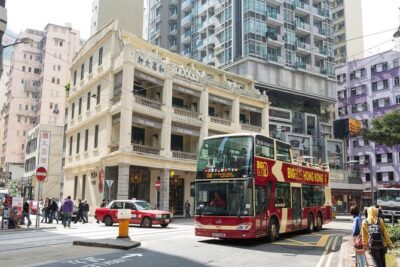
Big Bus Hong Kong Open Top Hop-On Hop-Off Sightseeing Tour
Read our review →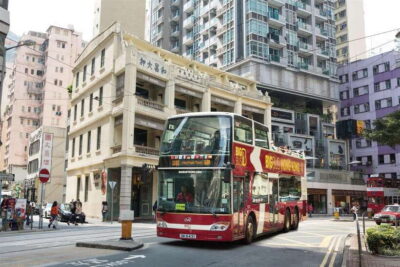
Big Bus Hop-On Hop-Off Tour & Optional Peak Tram
Read our review →
Hong Kong Day Tour: City Landmarks & Highlights
Read our review →Browse the lists this tour appears in